Trusted Host Settings Not enabled
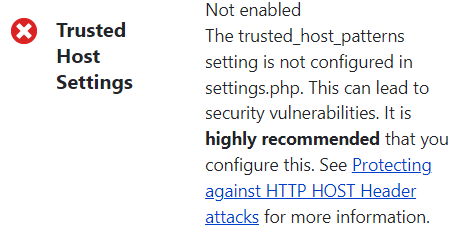
Trusted Host Settings Not enabled
When we install the drupal, setting.php file generated by drupal does not include "trusted host" configuration. So we need to set it.
Open sites\default\setting.php and set the "trusted host"
For example, if your site is at www.example.com, you could add
$settings['trusted_host_patterns'] = [
'^www\.example\.com$',
];
If you want to allow both example.com and www\.example\.com, you can use list two patterns as below:
*/
$settings['trusted_host_patterns'] = [
'^localhost$',
'^127\.0\.0\.1$',
];
/**
If you want to allow any subdomain of example.com, you can use the regular expression \.example\.com$ or (^|\.)example\.com$: the second matches example.com as well as subdomains.
For localhost, just put like this:-
$settings['trusted_host_patterns'] = [
'^localhost$',
'^127\.0\.0\.1$',
];
Read more:-
https://www.drupal.org/docs/installing-drupal/step-6-status-check
client = ca-pub-2898279488603899
slot = 9058461004
format = auto